Manual antivirus exclusions for Veeam infrastructure are tedious and error-prone. This PowerShell script automates the process with role-based detection, PostgreSQL awareness, and idempotent execution.
Stop manually calculating seconds since 1970! The .NET DateTimeOffset class makes Unix Epoch conversions simple with ToUnixTimeSeconds() and FromUnixTimeSeconds() methods.
Azure Arc gives on-prem servers their own Azure AD identity. This guide shows how to retrieve an Azure Arc token and use it to securely access secrets, keys, and certificates in Azure KeyVault—no stored credentials needed.
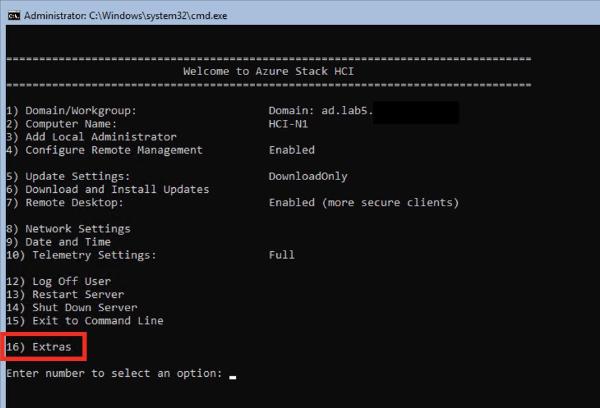
Azure Stack HCI 20H2 rebuilt SConfig in PowerShell! I’ve created xSConfig to extend it with cluster info, S2D status, storage pool details, and node health—all from the familiar SConfig interface.
Worried about how hard you’re pushing your S2D cache SSDs? This post covers identifying cache disks, querying storage history, using Cluster Performance History, and a new tool to check cache wear across your environment.
Monitoring DFS-R can be difficult. This PowerShell script creates a test file, waits for it to replicate to partner servers, and reports success or failure—with dynamic discovery of replication groups and folders.
Finding all the right AzureStack hotfixes between updates requires reading multiple release notes. Find-AzSAvailableUpdate simplifies this by showing all updates needed for your version, including prerequisites.
Patching S2D clusters is a common question. This first part covers offline patching—shutting everything down, patching all nodes simultaneously, and starting back up—with scripts like Stop-S2DCluster and Start-S2DCluster to automate the process.
Improper maintenance mode is a top cause of S2D failures. These three PowerShell functions—Get-S2DNodeMaintenanceState, Enable-S2DNodeMaintenance, and Disable-S2DNodeMaintenance—make it easy to do it right.
Need to deploy the Azure Monitor Log Analytics agent to existing servers? This PowerShell function handles single or multi-server deployments, with options to download the installer or use a central share.