

🎧 Listen to the AI Deep Dive
As a Systems Engineer for Veeam Data Cloud (VDC) Vault, I spend a lot of time running demos. Customers generally like the UI; it is clean and gives high-level numbers at a glance. However, for specific workflows, particularly around billing and chargeback, customers often ask:
“Is there an API to export this data?”
While the portal is designed to provide excellent operational visibility, strict requirements for external financial modeling or granular chargeback sometimes require raw data access that goes beyond the current UI views.
To help customers who need this data immediately for their internal billing workflows, I built a lightweight tool to automate the process.
Why Export the Data?#
The data is the same, but the motivation for exporting it varies.
Service providers need to map usage to bill their customers or track COGS across tenants. Enterprises need internal chargeback, mapping subscription costs to departments, regions, or environments. Capacity managers need to report on consumption trends so they do not hit subscription limits by surprise.
In all of these cases, the requirement is a single CSV that combines vault density, subscription limits, and granular storage usage.
Meet the VDC Vault Exporter#
My solution is the Veeam Data Cloud Vault Exporter.
I built it as a Chrome extension because it is the lowest-friction option. It runs in the context of your existing browser session. If you are logged into the VDC portal, the extension is too. You do not need to manage API keys or set up an extra OAuth flow.
The extension is read-only. It only calls the same endpoints the UI uses to show you usage and subscription data.
How It Works#
The VDC portal is built on a microservices architecture. The extension reuses the same API calls your browser makes to render the dashboard, but it does the heavy lifting of correlating them.
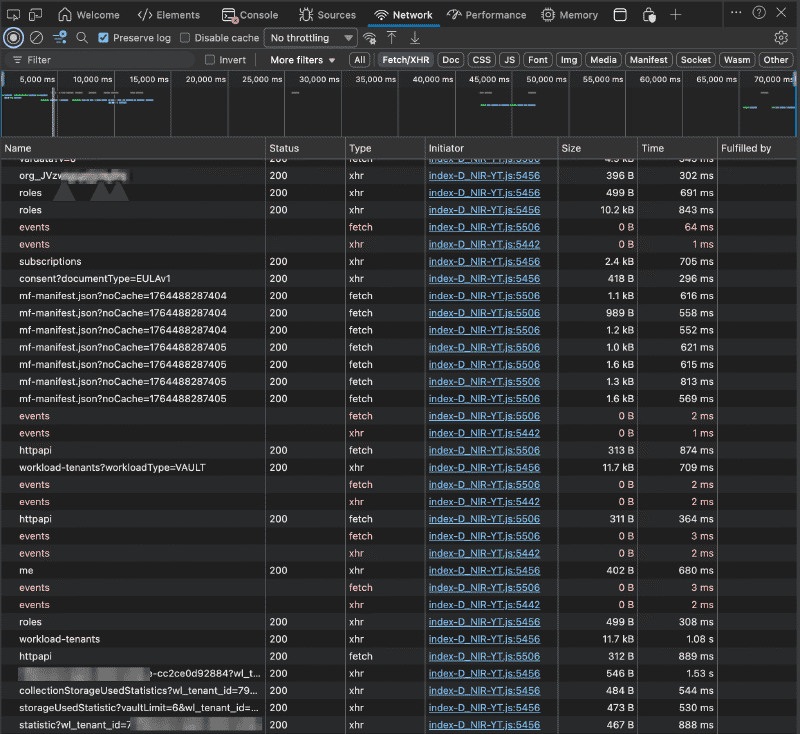
I worked this out using Chrome DevTools. By inspecting the Network tab, I realized that the data I wanted wasn’t in a single call. The portal fetches tenant details from one service, subscription limits from another, and storage usage from a third.
The extension replicates this “scatter-gather” approach:
// Function to build API endpoints based on the base URL
const buildApiEndpoints = (baseUrl) => {
  return {
    // 1. Get the list of tenants
    WORKLOAD_TENANTS: (orgId) => `${baseUrl}/workload-tenants-svc/organizations/${orgId}/workload-tenants?workloadType=VAULT`,
    // 2. Get the subscription limits (e.g. 50TB vs 500TB)
    SUBSCRIPTIONS: (orgId) => `${baseUrl}/subscriptions-svc/organizations/${orgId}/subscriptions`,
    // 3. Get the actual usage per tenant
    STORAGE_STATS: (tenantId) => `${baseUrl}/vault/api/cust-StorageAccount/collectionStorageUsedStatistics?wl_tenant_id=${tenantId}`
  };
};Smart Context and Aggregation#
I wanted to ensure the export was context-aware. The extension uses a regex on the active tab URL to figure out where you are. If you are viewing a specific tenant, it exports only that tenant. If you are on the organization dashboard, it exports all relevant tenants.
Because the data comes from different services, the extension performs an in-memory join before generating the CSV. It maps the Usage (from the Vault API) and the Limits (from the Subscriptions API) to the correct Tenant (from the Workload API).
workloadsData.forEach(tenant => {
  const subscription = subscriptionsMap.get(tenant.subscriptionId);
  // Combine into a single row to avoid VLOOKUPs later
  const row = [
    `"${escapeCSV(tenant.displayName)}"`,
    `"${escapeCSV(tenant.region)}"`,
    `"${escapeCSV(subscription?.product.edition || 'N/A')}"`,
    // ...
  ].join(',');
});
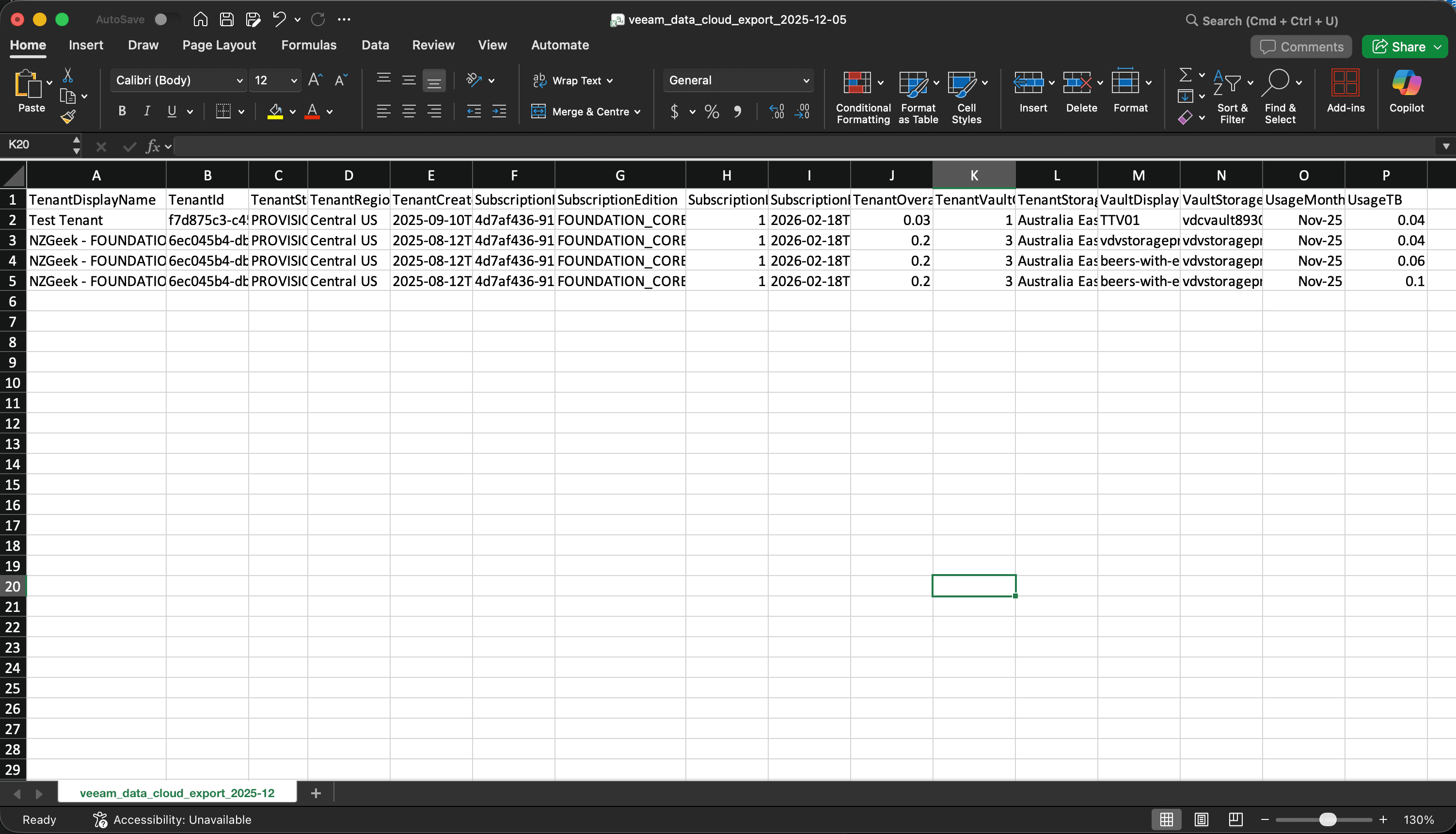
The result is a flat, analysis-ready file where every row contains the complete picture for that tenant.
With consistent and descriptive column names, the CSV is ready for repeatable analysis in tools like Excel and Power BI.
Right now the extension targets VDC Vault only. It does not support services like M365, Azure or Entra ID.
Getting Started#
Because this is a community tool, it is not in the Chrome Web Store.
- Download the source code from the GitHub Releases page.
- Extract the zip file.
- In Chrome, go to
chrome://extensionsand toggle Developer mode. - Click Load unpacked and select the extracted folder.
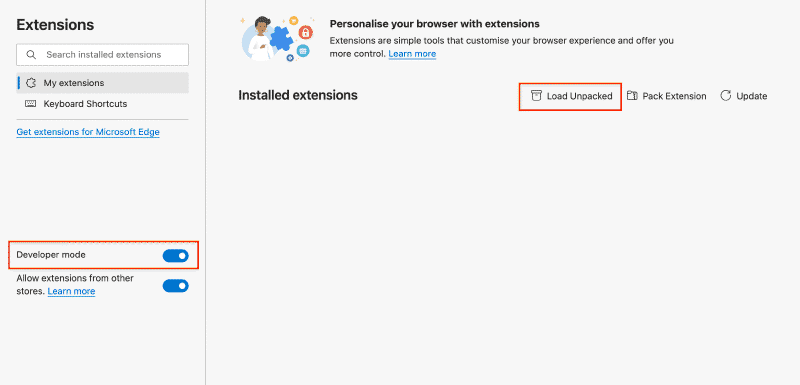
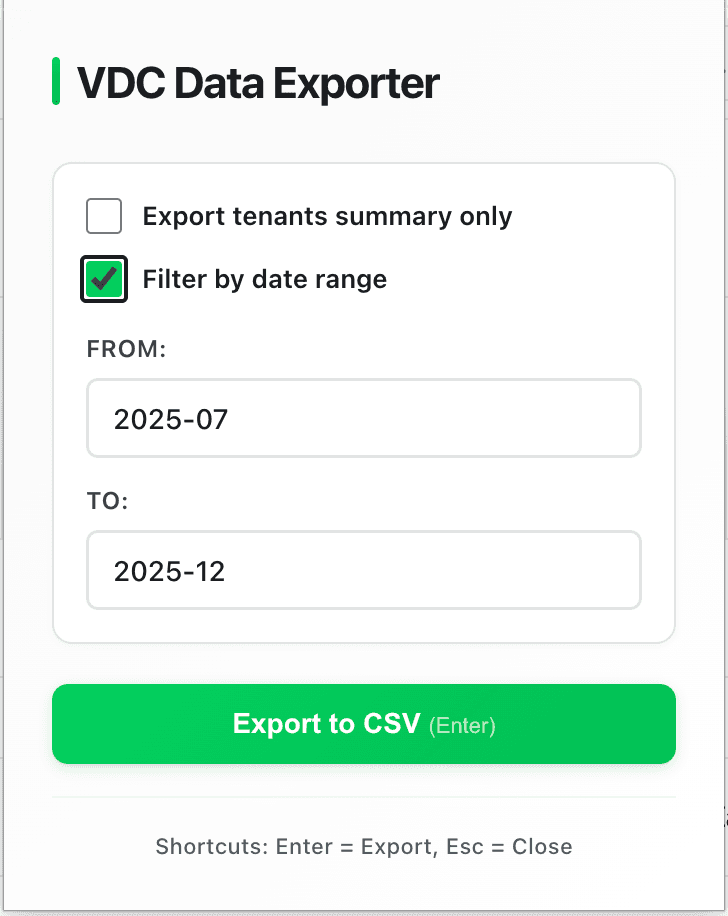
Once it is loaded, navigate to your VDC dashboard (either the main view or a specific tenant) and click the extension icon. You can filter by date range (useful for monthly billing cycles) and download your CSV.
Treat it like any other tool you get from the internet. Only install it from sources you trust, and review the code if you plan to use it in production environments.
What’s Next?#
This is just v1. Right now, it solves the immediate problem of exporting Vault data. However, since the VDC portal unifies other services like M365 and Entra ID, there is potential to expand this tool to cover those workloads as well.
If you have a specific use case or run into a bug, please open an issue on GitHub. I built this to scratch my own itch, but I would love to hear how it works for you.
Happy exporting!